County filing guide
Los Angeles County property tax review and appeal guide
Regular decline-in-value appeals. Supplemental and escape assessments have different deadlines.
Filing options
Current county filing details have not loaded yet.
These steps explain the regular decline-in-value review and appeal process. They do not confirm that filing is open or that a submission method is currently available. Before filing, check the county’s current window, fees, forms, and submission instructions.
Filing instructions
Informal review
Procedural reference — confirm current availability before filing.
Open the county’s decline-in-value review page. Los Angeles recommends providing two comparable sales.
Click the “Application” tab
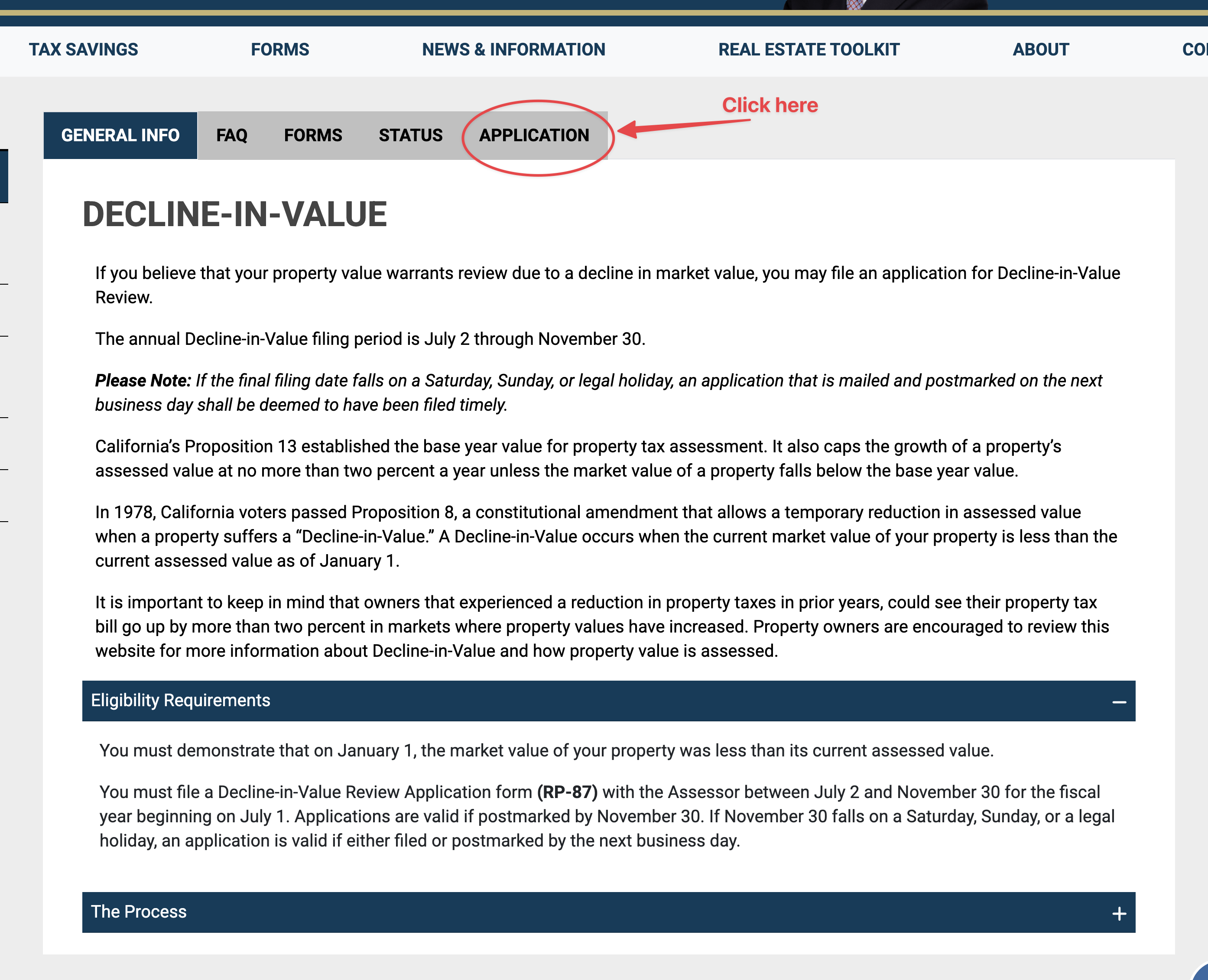
Los Angeles informal — Click the “Application” tab Click the “File application”
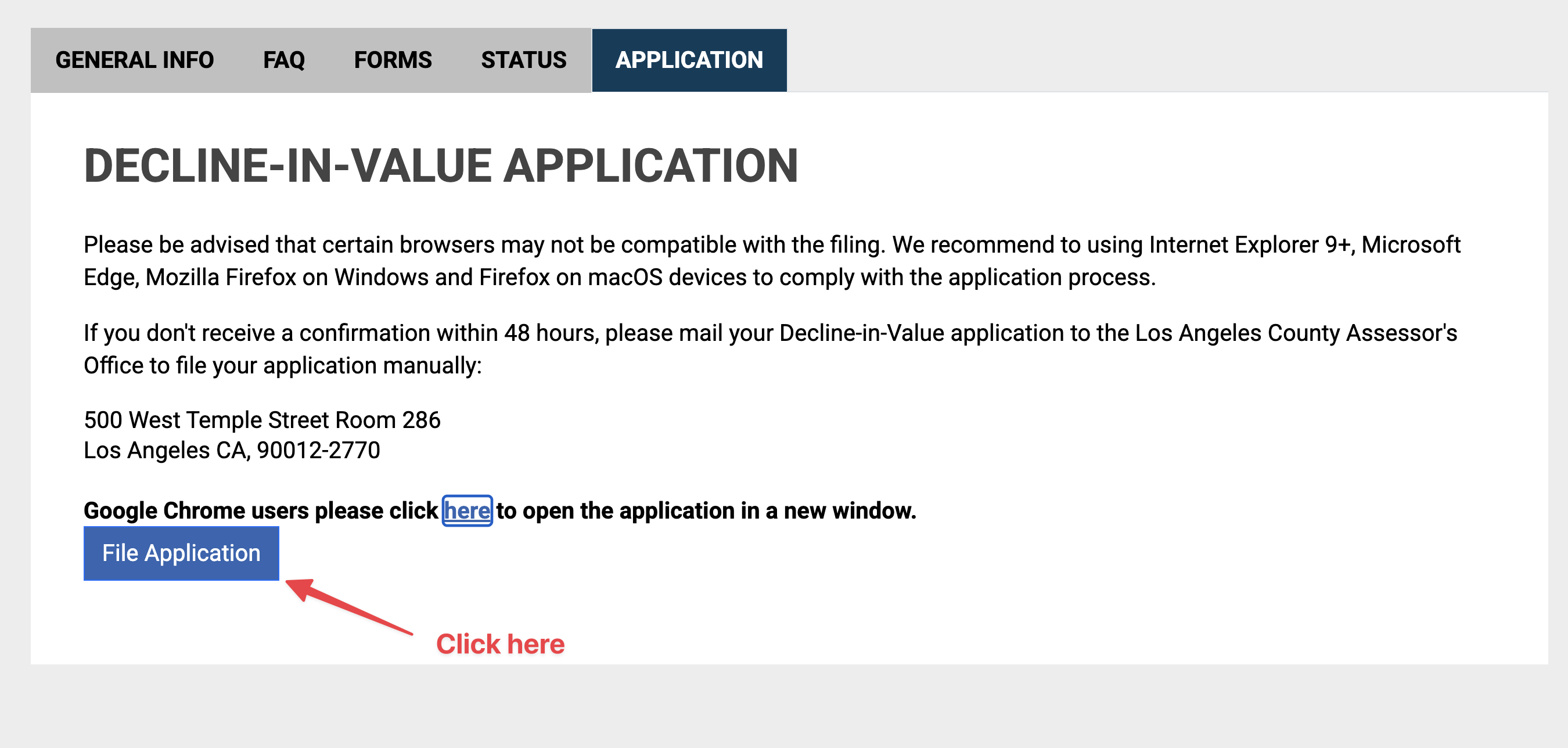
Los Angeles informal — Click the “File application” Fill out the AIN and PIN number to start your informal application
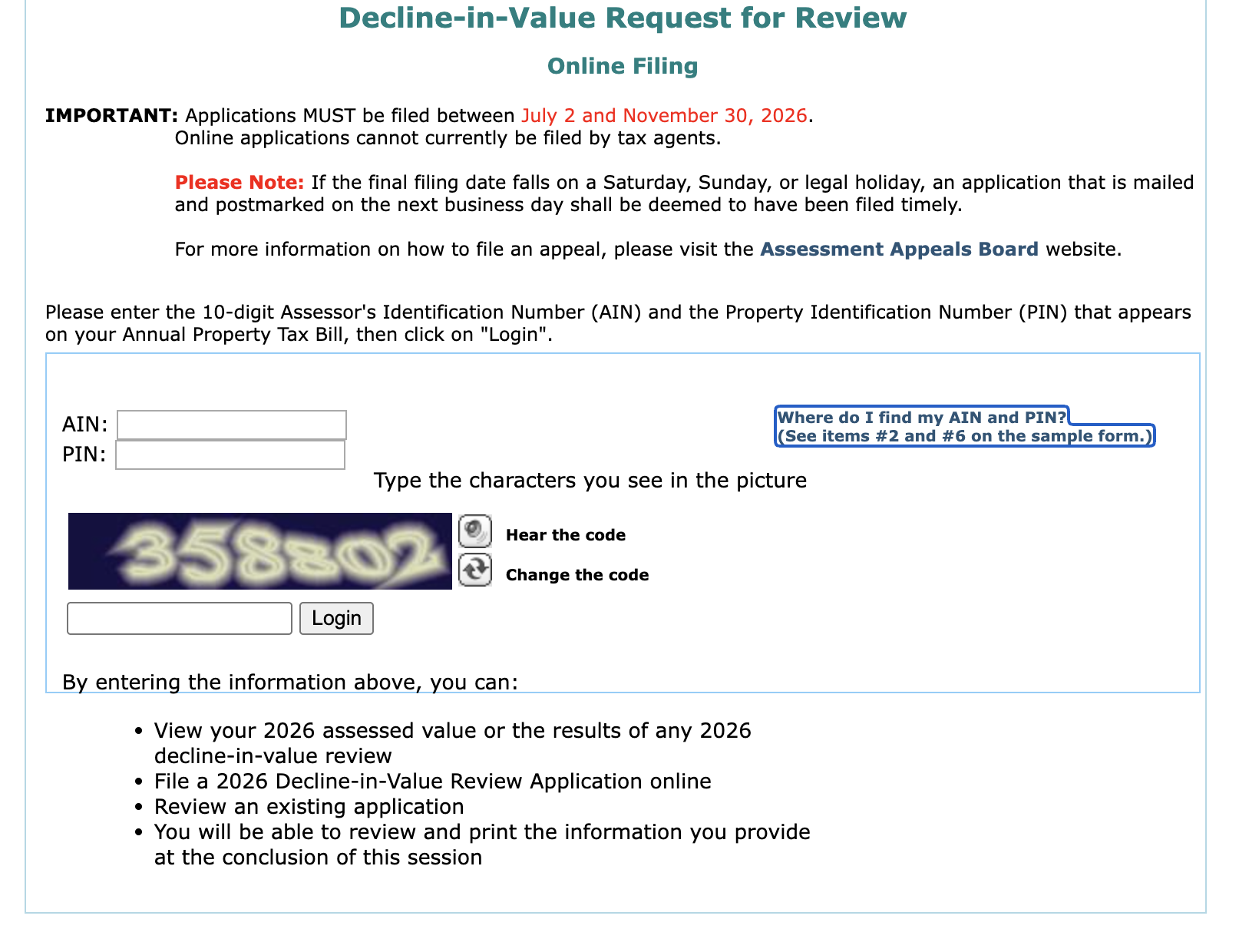
Los Angeles informal — Fill out the AIN and PIN number to start your informal application The application may ask for the PR-87 form. Find it under the Forms tab on the decline-in-value review page.
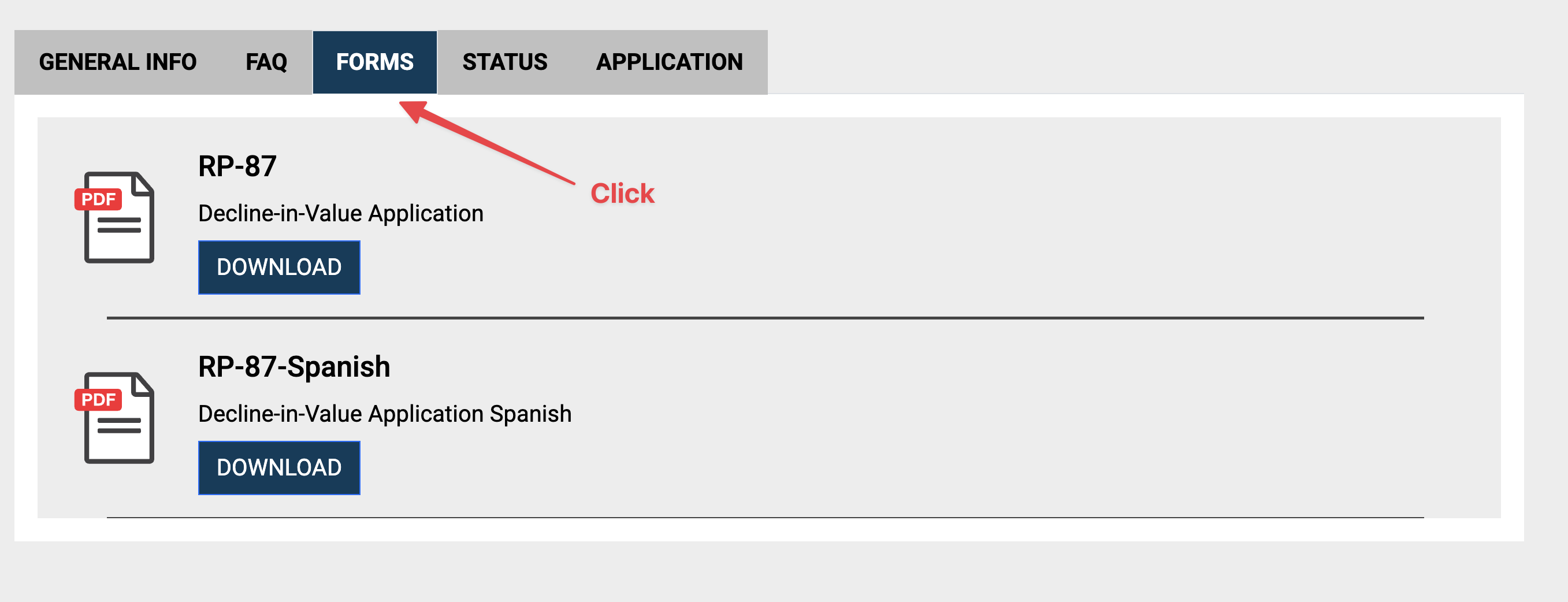
Los Angeles informal review — step 5 The PR-87 form asks for two comparable sales. Use the two best supporting sales from your PropertyHero report.
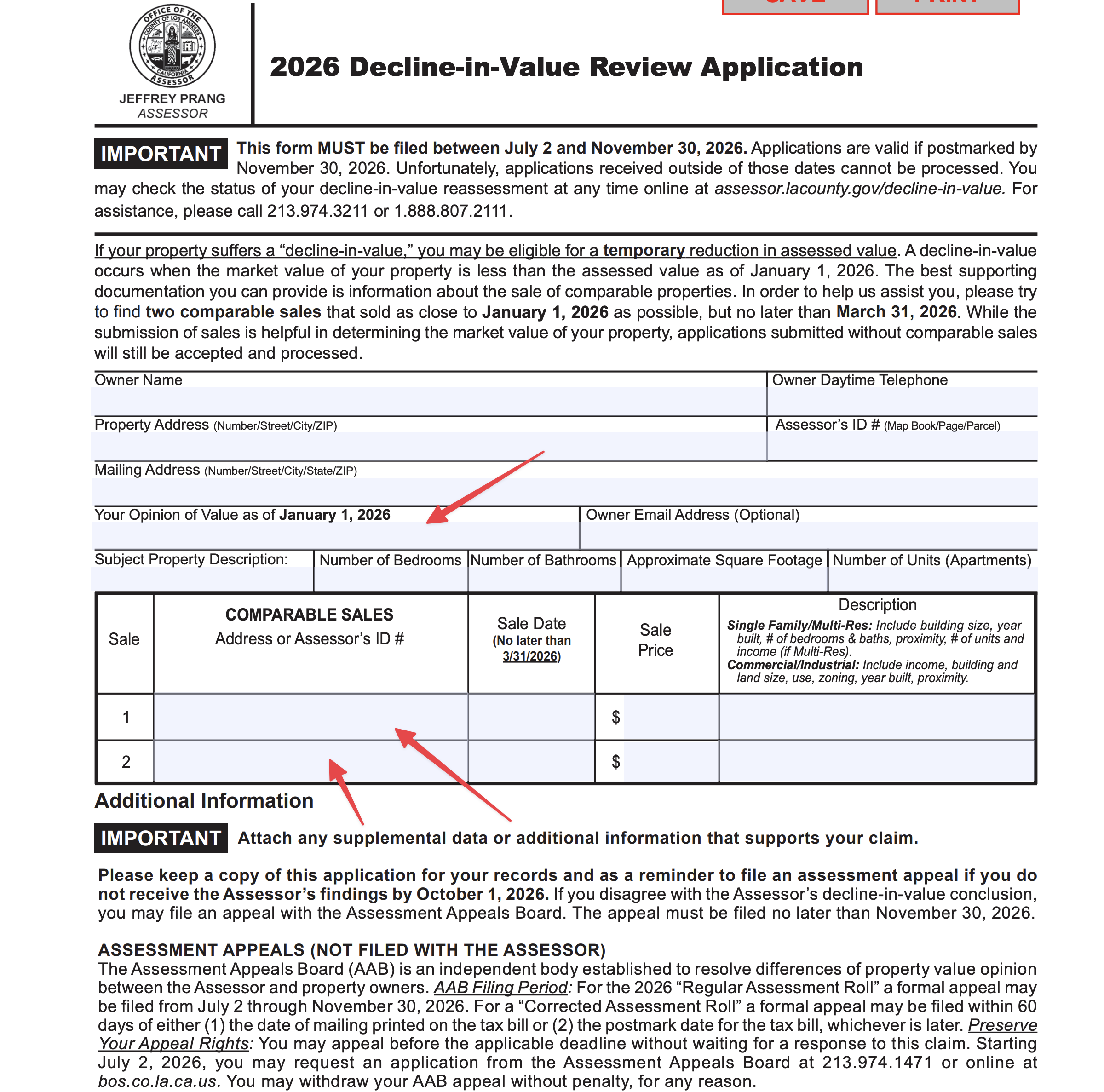
Los Angeles PR-87 form showing the two comparable-sale fields.
Formal appeal online
Procedural reference — confirm current availability before filing.
Open the Los Angeles County Assessment Appeals filing portal and click Applicant Login in the left menu.
Select Annual Tax Bill for an appeal of your regular annual assessment, then click Continue.
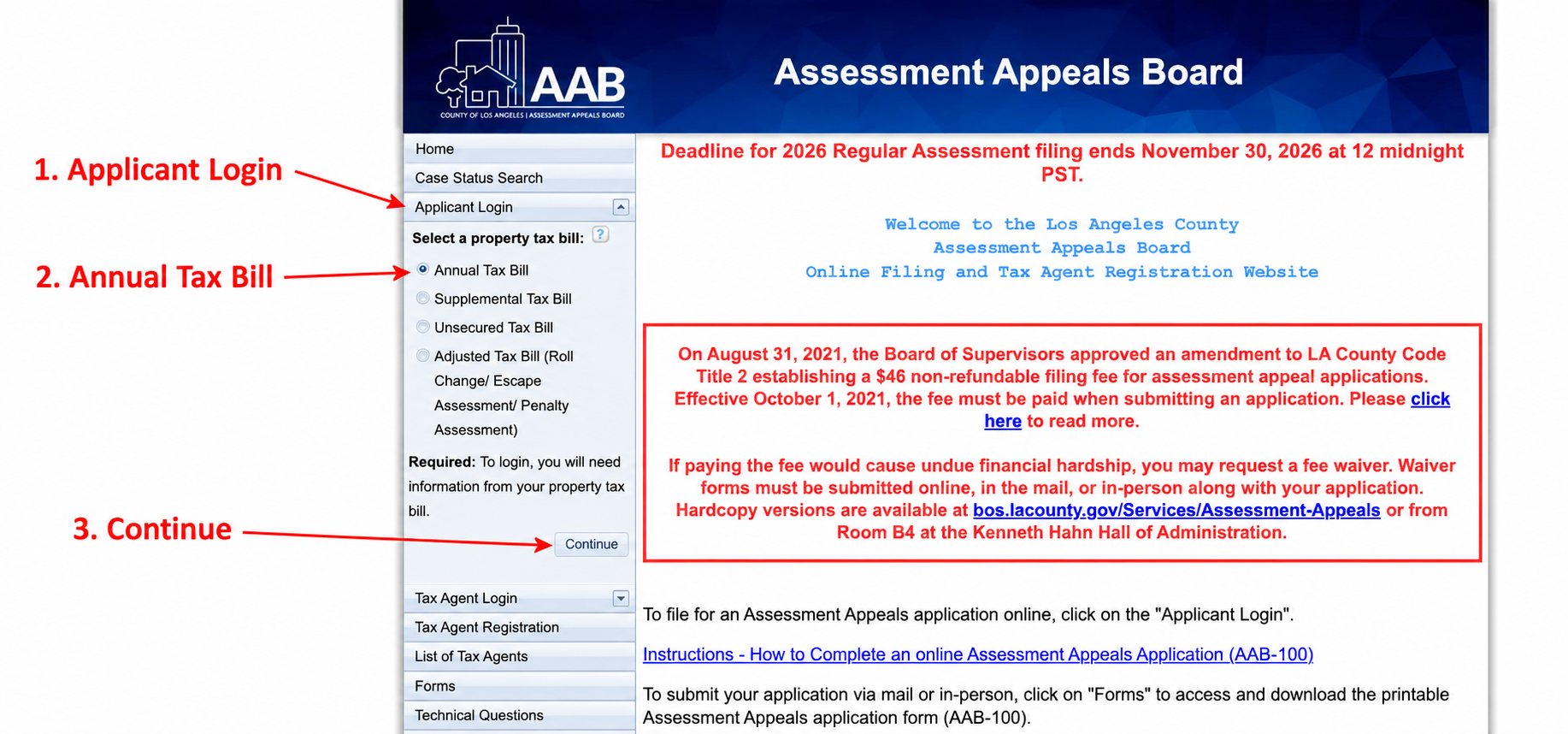
Choose Applicant Login, Annual Tax Bill, then Continue. Copy your name, Assessor's ID Number, and PIN from the tax bill into the login fields.
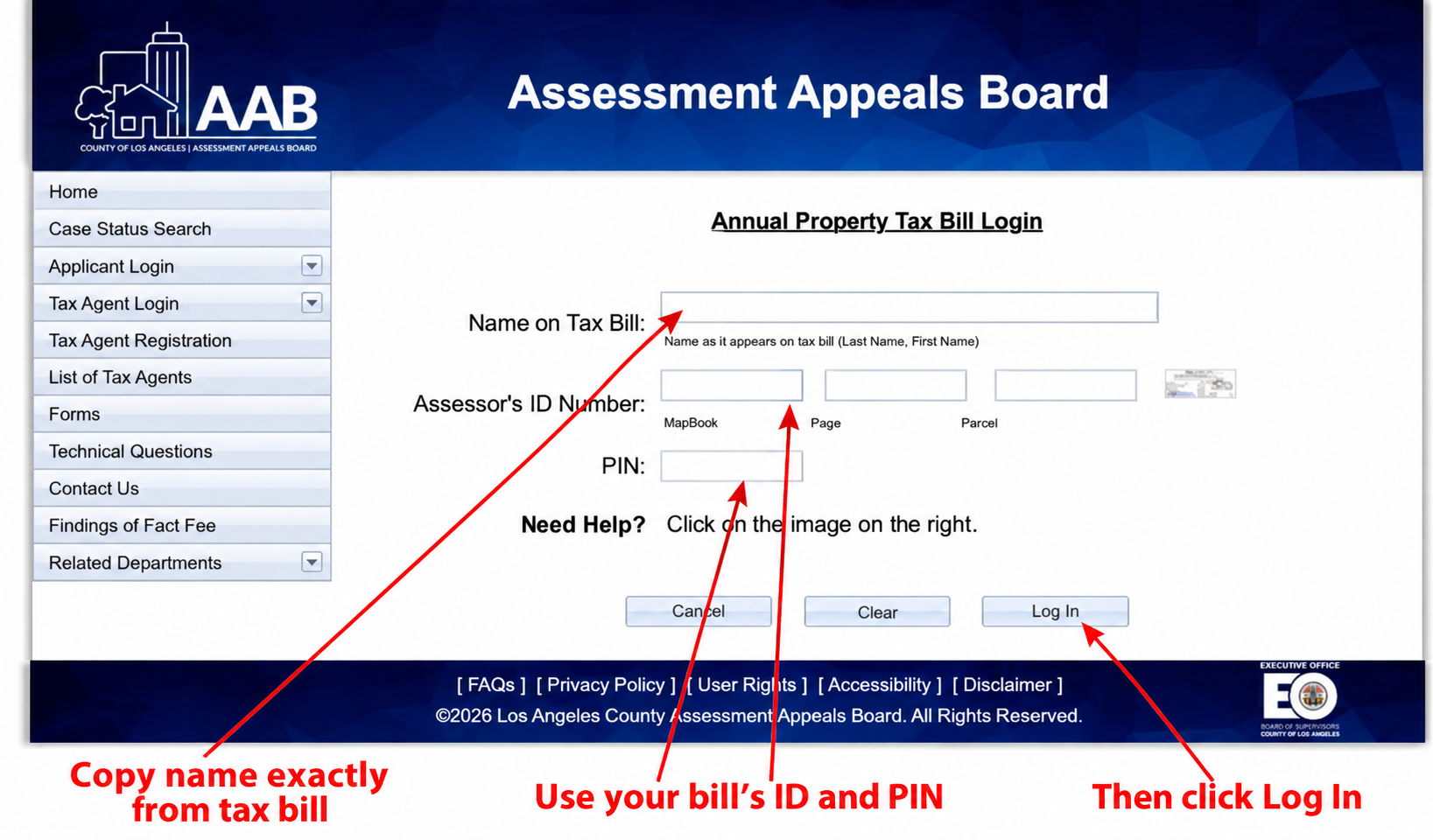
Use the name, ID, and PIN from your own tax bill. Click Log In.
Open Submit an Application for Changed Assessment.
Complete the applicant and contact details.
Complete the assessment and property details.
Enter the assessed values and your opinion of value.
Select the decline-in-value reason that matches your appeal.
Review the application draft and complete the certification and confirmation-email fields.
Follow the current filing-fee or fee-waiver instructions.
Submit the completed application.
Save the confirmation and a copy of the application.
After you file
Informal review
Keep your request confirmation and correspondence. Confirm current deadlines with the county.
Formal appeal
Keep a copy of your application and filing confirmation. Watch for notices from the Clerk of the Board and follow the county’s instructions for any hearing.
Open my appeal plans →Contacts & sources
Current county contacts and live fact citations will appear when filing details load.
Sources
Informal sources
- Submit an Assessor inquiry for help with the informal review.
Formal sources
- The entry and login screens were checked on September 29, 2026. Steps after login follow the county’s applicant instructions, rather than a live walkthrough inside an account; screen labels and the payment flow may differ. Follow the current portal instructions.
- The county also provides application forms and reference guides.